Skip to content
PEAKMERITTECHNOLOGY
  • Overview
  • Pisces Standard CMM
  • Polaris Classic CMM
  • Gemini High-Precision CMM
  • Libra Ultra-Precision CMM
  • Aries Shop-Floor CMM
  • Taurus Gantry CMM
  • Overview
  • CZ Series Probe Heads
  • CF20 Touch-Trigger Probes
  • SC Scanning Probes
  • MACC Series Controllers
  • CMM Accessories
  • CMM Upgrade & Retrofit
Project Updates
  • Measurement Guides
  • Accuracy Comparison
  • Software Compatibility
  • Installation & Training
  • Technical Support
  • Distributor Cooperation
  • About PeakMerit
  • Our Partners
Discuss Your Project

CMM support

Prepare the site. Train the operators. Keep the right records.

Practical checklists for a new installation or retrofit, and a direct contact when your existing CMM needs attention.

Explore installation and training for your new CMM →
Get technical support ↓Prepare for installation ↓

Existing machine owners

Tell us what the machine is doing.

Send the configuration and the exact symptom so the first review starts with the right information.

liu@peakmerittechnology.com
Open support email template →+1 (810) 223-6315

The email template opens in your mail app for you to complete and send. Remote review, any on-site work and replacement parts are arranged according to the issue and agreed scope.

Include in your request

  • Machine model and controller
  • Probe head, probe or scanning module
  • Measurement software and version
  • Exact error message or code, with a screenshot
  • What you were doing, when it started and recent changes
  • Your contact details and time zone

Share only the information needed to review the issue; remove unrelated customer or part data from screenshots.

Before installation

Prepare your site for delivery.

Use the installation plan to review access, utilities and the checks needed when your CMM arrives.

Plan the space around your CMM
01020304
  1. 01
    Delivery accessCheck the route from unloading to the measuring room.
  2. 02
    Working & service spaceAllow access around the machine and workstation.
  3. 03
    Power & compressed airConfirm the required supplies and connection points.
  4. 04
    Room conditionsReview temperature, vibration and the room environment.
Planning illustration · Confirm layout, utilities and environmental requirements for the selected model.
  1. 01

    Plan the delivery

    Agree the handling method, access route and final machine position with the installation team.

  2. 02

    Check the shipment

    Inspect the packaging and transport indicators. Record concerns and match the delivered equipment to the packing list.

  3. 03

    Confirm the site

    Review the selected model's floor, power and room requirements. Confirm compressed-air pressure and cleanliness, including any shared supply.
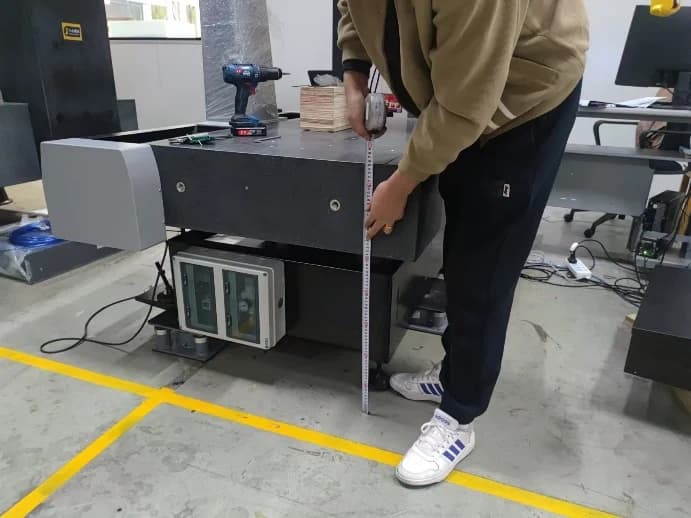
Installation guide photograph showing an engineer checking the CMM table height with a tape measure

Machine setup checks

Review the machine position and support setup against the supplied model's installation instructions.
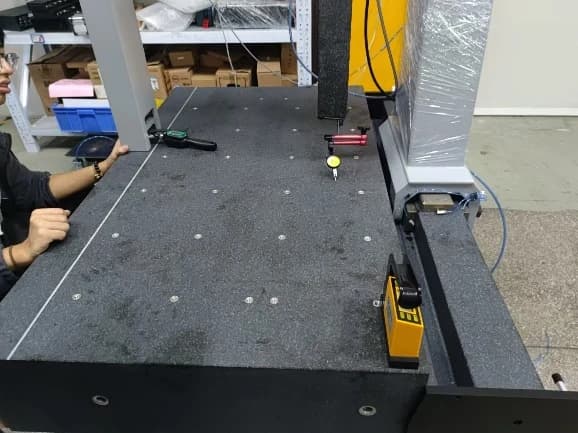
Installation guide photograph showing a level-check setup on a granite CMM table

Table level checks

The installation procedure includes checking and adjusting the table level before subsequent machine tests.

Photographs from the Polaris Classic installation guide. The illustrated setup is model-specific; your supplied configuration determines the installation procedure and limits.

Download preparation checklist (.txt) ↓

The editable checklist is a planning aid. Final site limits, procedures and test requirements come from the model-specific documentation and agreed scope.

Operator handover

Get familiar with your installed system.

Start with the controls and probing setup covered in the installation guide, then agree the application training your team needs. Confirm the provider, location and scope for your project.
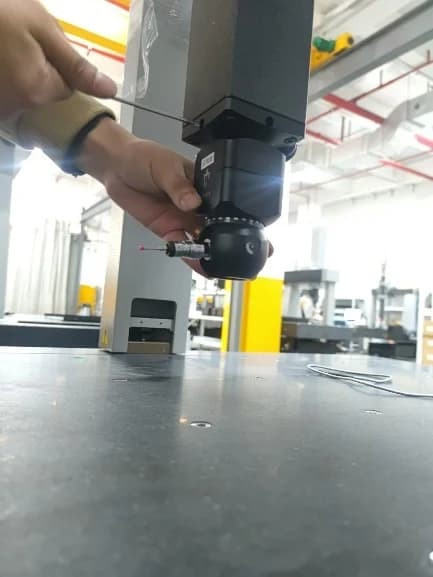
Installation guide photograph showing the probe-head assembly being fitted to a CMM
Probe assembly installation · Polaris Classic guide. Installation and adjustment are service tasks; operator familiarization follows the agreed handover scope.
  1. 01

    Know the controls

    Review the hand controller, emergency stops and homing sequence with the service engineer.

  2. 02

    Identify the probing setup

    Match the installed head, probe and stylus to their definitions in the measurement software.

  3. 03

    Review qualification

    Check the reference sphere data and review the qualification routine for the tip and orientations in use.

  4. 04

    Plan hands-on training

    Agree on any representative-part training, including alignment, measurement and report review, for your operators.

Keep the records together

What to capture at handover

Confirm the documents, backups and follow-up actions your team will retain.

01

Delivery & acceptance

  • Packing list and agreed acceptance report
  • Product conformity and warranty documents
  • Recorded acceptance date and warranty terms
02

Configuration & recovery

  • Agreed system and controller backups
  • Accuracy reports and component identification
  • File locations and the technical support contact
03

Operator follow-up

  • Topics reviewed, attendees and further practice needed
  • Outstanding items and responsible contacts
  • Agreed next steps for your application

Operator training and machine acceptance are separate activities. Any calibration, verification standard or certificate requirement must be specified in the acceptance scope.

Project references

Start with a concrete setup.

These public examples can help you describe the application or hardware you want to discuss.
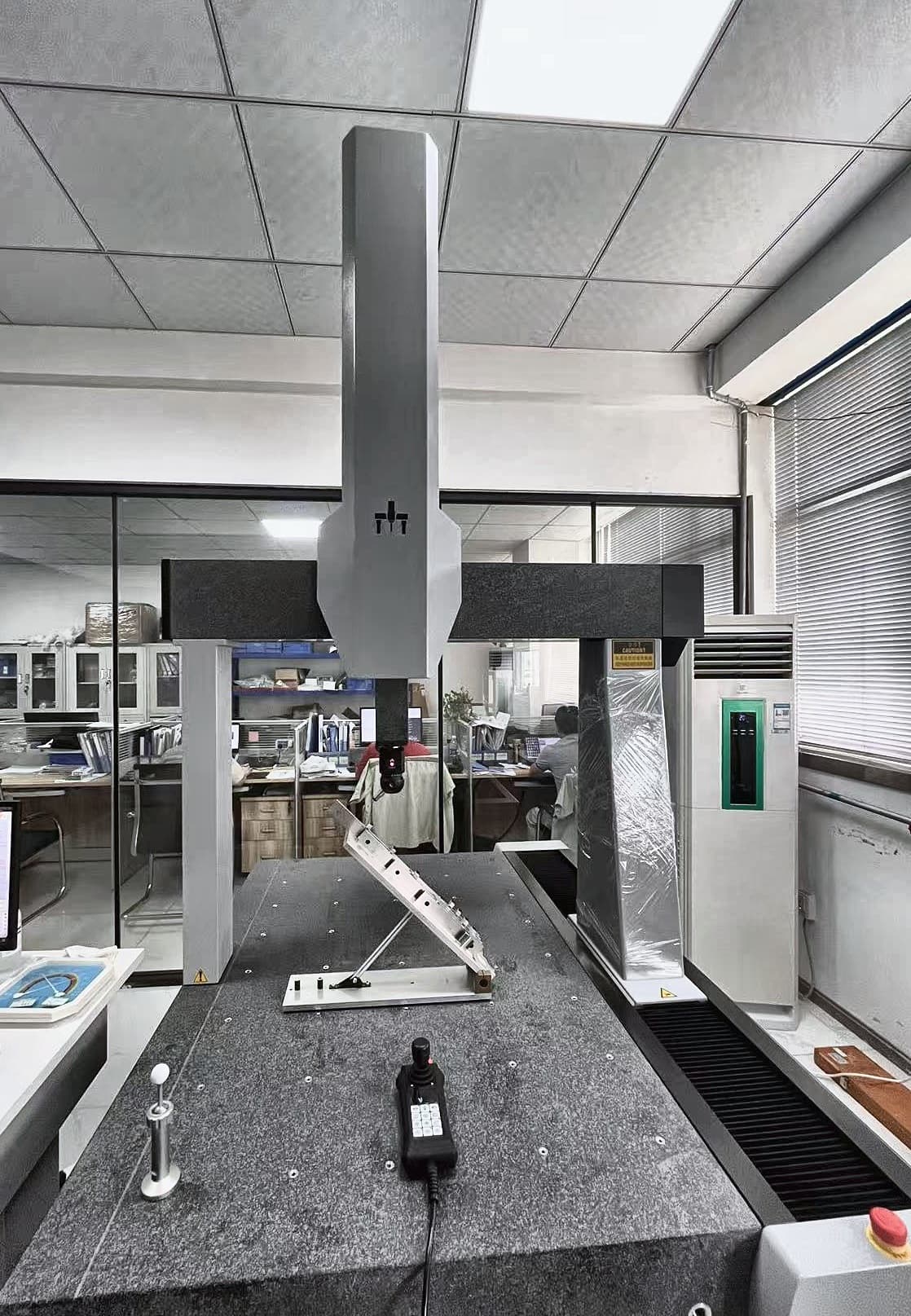
Polaris fixture inspection

Polaris fixture inspection

Review the visible workpiece and fixture arrangement when discussing part access and measurement space.

Explore the fixture setup →
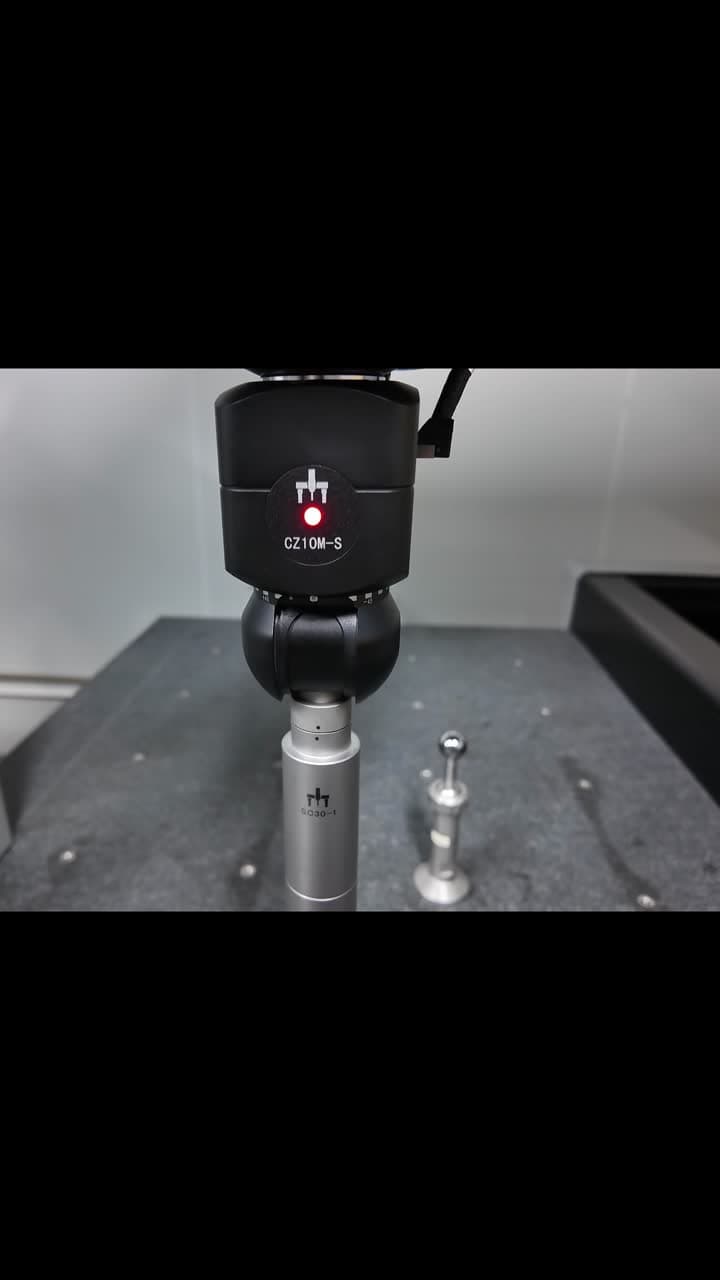
Scanning package demonstration

Scanning package demonstration

Review the CZ10M-S head, SC30 scanning module and MACC3000-Plus in a calibration-ball scanning demonstration.

Explore the scanning demonstration →

New machine or retrofit project

Define the equipment and support together.

Share your application, proposed configuration and site needs so the quotation can address installation, training and acceptance requirements.

Discuss a new project →
PEAKMERITTECHNOLOGY

CMM systems, probing packages, controllers, and retrofit solutions for manufacturers, quality labs, and metrology distributors.

Direct-manufacturer value with U.S.-based commercial support.

About PeakMerit →

  • Application-FocusedRight machine for your parts
  • Defined SpecificationsModel and probing configuration
  • Complete SolutionsMachine, probe, controller & more
  • Project SupportApplication review and coordination

CMM Machines

  • Compare CMM Models
  • Pisces Standard CMM
  • Polaris Classic CMM
  • Gemini High-Precision CMM
  • Libra Ultra-Precision CMM
  • Aries Shop-Floor CMM
  • Taurus Gantry CMM

Probing & Controllers

  • Probing & Controllers Overview
  • CZ Series Probe Heads
  • CF20 Touch-Trigger Probes
  • SC Scanning Probes
  • MACC Series Controllers
  • CMM Accessories
  • CMM Upgrade & Retrofit

Resources & Support

  • Measurement Guides
  • Accuracy Comparison
  • Software Compatibility
  • Installation & Training
  • Technical Support

Projects & Partners

  • Project Updates
  • Our Partners
  • Distributor Cooperation

Contact

PeakMerit Technology LLCLos Angeles, California, USA

liu@peakmerittechnology.com
+1 (810) 223-6315

Response within one business day.

Request CMM Quote
© 2026 PeakMerit Technology LLC. All rights reserved.Specifications and accuracy values are confirmed in final quotation and acceptance documentation.Privacy settings|Privacy Policy|Terms of Use