Complete CMM / Application walkthrough
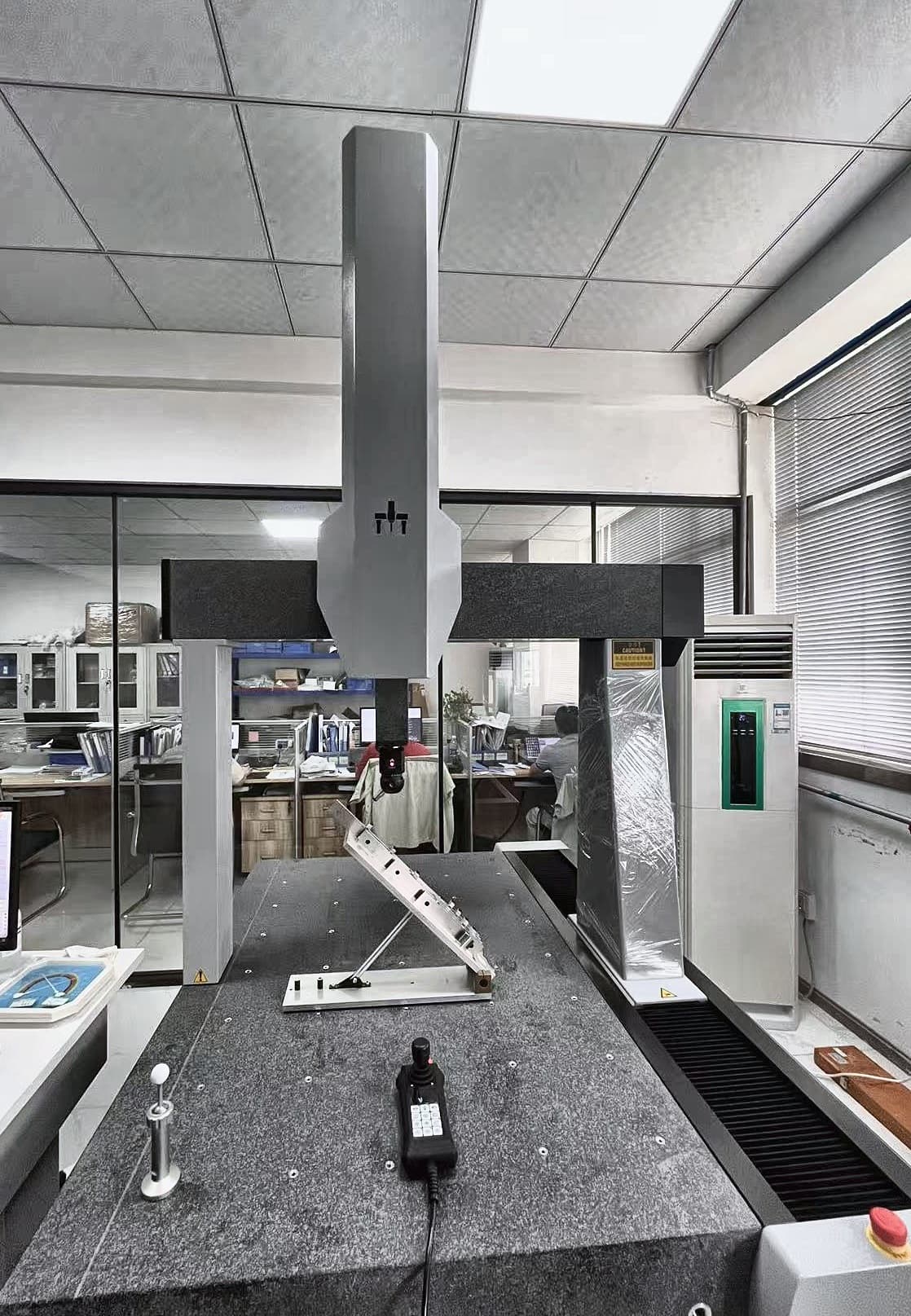
Polaris 8126: inspecting an angled fixture
An angled fixture brings mounting surfaces and hole patterns into the same inspection task. This Polaris example shows the physical setup behind a review of those relationships.
Explore the application- Published model
- Polaris 8126
- Probing mode
- Touch trigger
- Measuring range
- 800 × 1200 × 600 mm
- Published MPEe
- 2.5 + L/300 μm
Configuration and MPEe are reproduced from the original project entry. The MPEe value is a published machine specification, not a measured result for this fixture.
01 / THE TASK
The inspection question
For an angled bracket or automation fixture, individual hole diameters are only part of the question. The drawing may also relate hole locations and angled faces to the mounting base. A useful inspection plan starts with those datum relationships and checks whether the assembled fixture and probing setup leave access to the required features.
What is visible
The photograph shows an inclined metal fixture supported above a base plate on the CMM table, with a probe head above the work. A reference sphere and joystick are also visible on the table. The photograph gives context for part orientation and approach space; it does not show the inspection program or a dimensional report.
02 / APPLICATION WALKTHROUGH
What to review for a similar application
Use the published example to guide an application review. These are planning steps for your own part and system.
- 01
Define the datum scheme
Bring the part drawing and identify the mounting face, locating features and toleranced relationships. Agree which features establish the inspection coordinate system before planning the individual measurements.
- 02
Review the fixed setup
Compare the real part and its supports with the available measuring range. Review access to holes and inclined faces, including stylus reach and clearance around the fixture. The machine envelope alone does not settle probe access.
- 03
Agree the inspection evidence
Define the features to report and the acceptance requirements for the application. Review the proposed probing configuration and inspection program on the actual part before relying on the workflow for production decisions.
03 / WHAT THE EXAMPLE SHOWS
From setup to application
What it demonstrates
The image provides a concrete example of an angled fixture placed within a bridge CMM. It helps an application team discuss how the mounting base, inclined face and hole features could be inspected in one coordinate system. The model and range give a starting point for selecting a comparable machine.
About this example
Application photograph and published configuration. The listed MPEe is a model specification, not a result for this part. Agree the probing setup and acceptance requirements for your own fixture.
Source: PeakMerit’s published Polaris 8126 — Fixture Inspection entry. The application review above builds on that photograph and its listed configuration.
View the original fixture project entryFROM EXAMPLE TO YOUR REQUIREMENT
Review a similar fixture
Share the drawing, overall part and fixture dimensions, required tolerances and access constraints. These inputs help connect machine size with the probing and support requirements for your actual inspection.