Scanning / Retrofit planning example
Calibration-ball scanning with CZ10M-S and SC30
The calibration-ball demonstration brings the CZ10M-S head, SC30 scanning module and MACC3000-Plus controller into one example. Use it to frame the questions behind a scanning upgrade.
Watch the demonstration- Probe head
- CZ10M-S
- Scanning module
- SC30
- Controller
- MACC3000-Plus
- Reference artifact
- Calibration ball / reference sphere
This is the configuration identified in the published demonstration. It is a starting point for application review; compatibility with an existing CMM must be checked separately.
01 / THE TASK
The inspection question
When reviewing a move from individual touch points to scanning, the practical question is how the head, scanning module, controller and software will work together on the intended CMM. This demonstration offers a concrete configuration to discuss before defining a retrofit scope for an existing machine.
What is visible
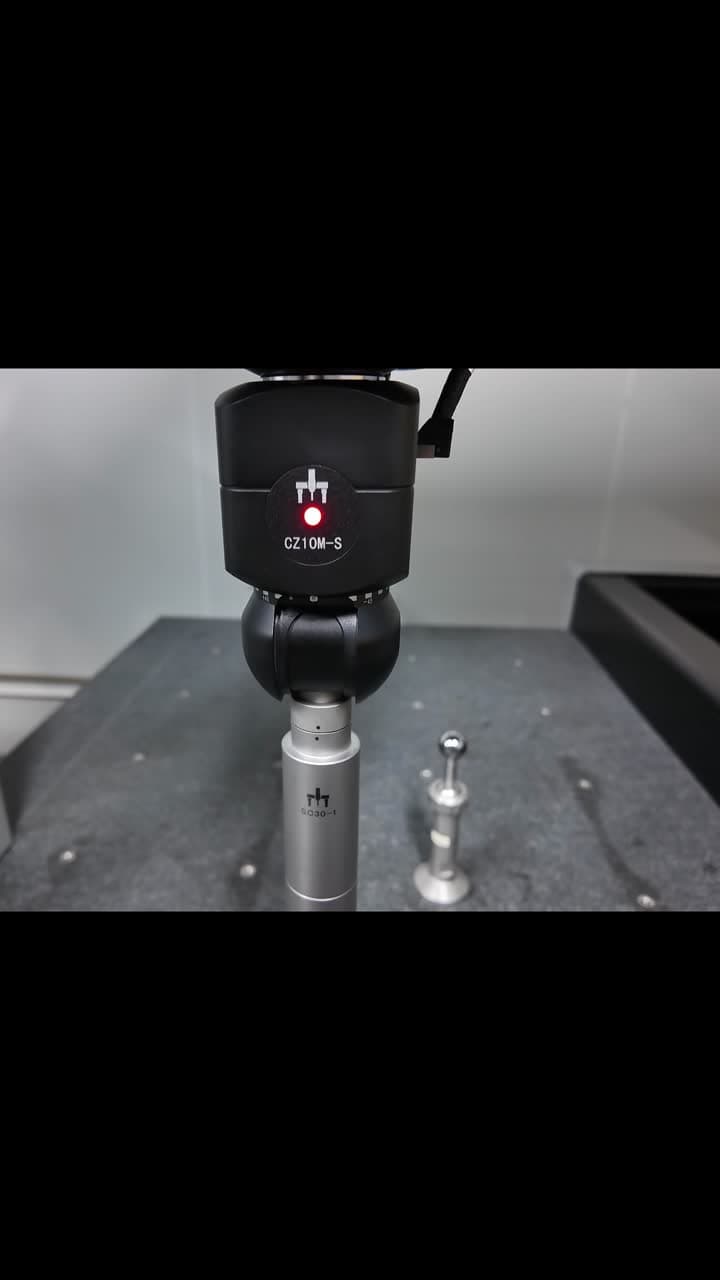
The still shows the CZ10M-S head and SC30 module beside a reference sphere on the CMM table. The original linked demonstration is the source for the scanning sequence. The controller is part of the published configuration but is not visible in this still.
02 / APPLICATION WALKTHROUGH
What to review for a similar application
Use the published example to guide an application review. These are planning steps for your own part and system.
- 01
Follow the demonstrated sequence
Open the original demonstration and identify the sphere, head and contacting stylus. Observe the approach, scanning path and departure. Relate the available access around the sphere to the features you need to inspect.
- 02
Map the existing machine
For an upgrade, provide the CMM make and model, present controller, probe interface and software version. Review machine condition, integration requirements and stylus access before selecting the hardware package.
- 03
Define commissioning and acceptance
Agree the probe qualification procedure, reference-sphere information, software setup and acceptance checks for the complete configuration. Include a representative part and reporting requirements in the application review.
03 / WHAT THE EXAMPLE SHOWS
From setup to application
What it demonstrates
The example connects identifiable probing components with a scanning task on a reference sphere. It gives a shared starting point for discussing the scanning workflow and a potential upgrade package, alongside the product information for each component.
About this example
Reference-sphere workflow demonstration. Confirm compatibility and acceptance requirements for the target machine; no before-and-after result is presented.
Source: the original PeakMerit calibration-ball scanning post, also preserved in Project Updates. This planning example refers to that demonstration alone.
Watch the original PeakMerit LinkedIn demonstrationFROM EXAMPLE TO YOUR REQUIREMENT
Turn the example into a retrofit review
Bring the existing machine and software details, part drawing, target features and desired reporting workflow. The next step is to establish a compatible configuration and a verification plan for that system.