Practical application guide · Examples are illustrative unless identified as catalog data.
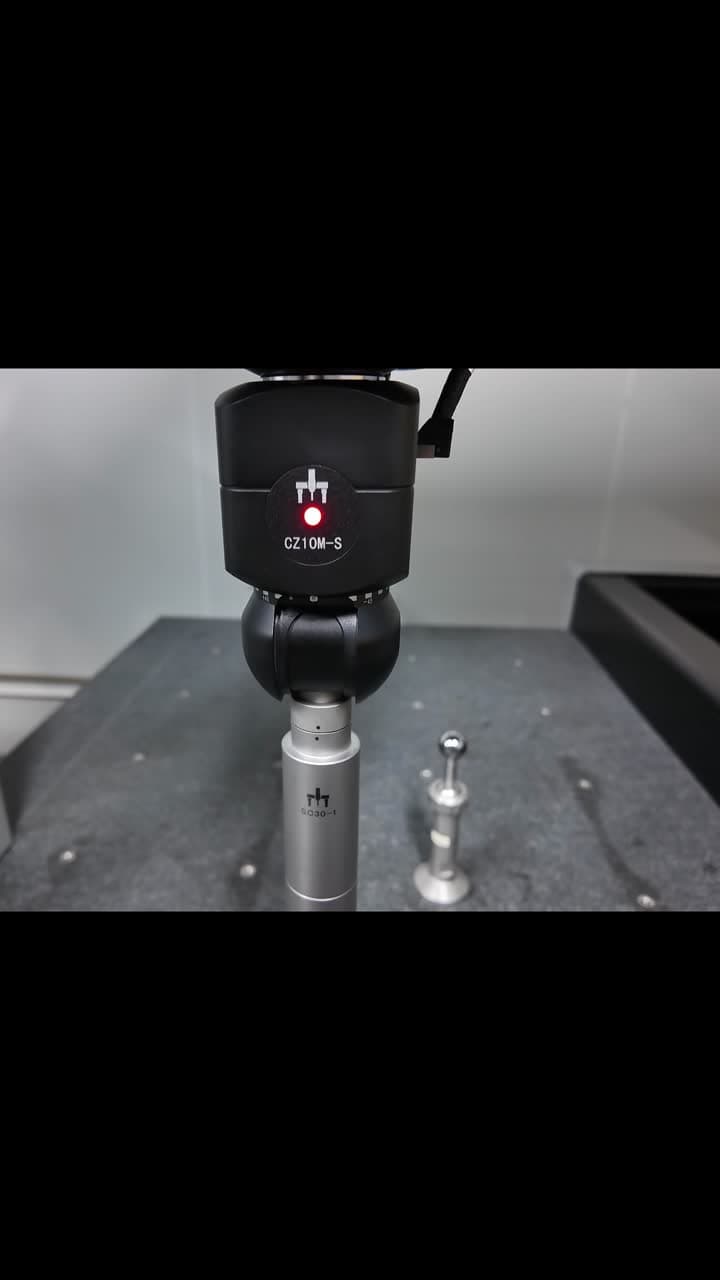
The configuration shown
The published PeakMerit project update identifies a CZ10M-S probe head, SC30 scanning module and MACC3000-Plus controller in a calibration-ball scanning demonstration. The still image shown comes from that update; follow the project link to view the original demonstration.
A reference sphere provides a known geometry for probing routines. Following the stylus around it makes a scanning sequence easier to understand than viewing the components separately. The part of the sphere that is reached, the direction of travel and the transitions between paths are useful things to observe.
| Component | Role in the configuration |
|---|---|
| CZ10M-S | Probe head carrying the scanning assembly. |
| SC30 | Scanning module used with the contacting stylus. |
| MACC3000-Plus | Controller identified in the demonstrated system. |
Why measure a reference sphere?
A reference sphere supplies a known geometry for establishing effective stylus dimensions and relative tip positions. Probe qualification lets the system account for the working stylus rather than relying only on its nominal physical dimensions. The appropriate procedure depends on the actual probe and software.
Renishaw's general explanation of stylus calibration describes this principle. It is background reading, not an operating procedure for the SC30. For this configuration, request the applicable qualification instructions, supported stylus setups and acceptance limits from the application team.
Qualification and machine verification
A sphere routine can serve different purposes. Ask whether the routine is qualifying a probe, checking a previously qualified setup, or demonstrating a scanning path. Similar-looking motion does not identify the software's calculation or the test being performed.
Contact motion alone does not establish probing error, length measurement error or part-specific uncertainty. To assess a result, request the routine's purpose, settings, artifact information and output report. CMM verification involves tests beyond observing a sphere scan.
A reference-sphere routine
- Qualify the working stylus
- Check a qualified setup
- Demonstrate a scanning path
Confirm which purpose applies, then review the settings and output.
Machine verification
- Agreed tests and limits
- Specified configuration and conditions
- Traceable artifacts and reported results
Assess the required evidence for the complete CMM.
What to look for while watching
Start by locating the reference sphere, stylus tip and probe head. Follow the contact path and note how the assembly approaches and leaves the sphere. These movements help explain why stylus access and a planned path matter when configuring a scanning routine.
For your own system, confirm the probe qualification procedure, reference-sphere data and software settings with the application team. Agree the qualification and acceptance checks for the complete configured system.
- Identify the components and the reference artifact.
- Follow the stylus contact path around the sphere.
- Note clearance around the probe assembly and fixture.
- Compare the workflow with your own probing and clearance requirements.
Translate the demo to your application
Bring the drawing, feature access requirements and proposed stylus setup to the review. Include the current CMM, controller and software versions if this is an upgrade. The team can then review whether the demonstrated component combination is appropriate for your machine and inspection routine.
Ask what qualification, commissioning and acceptance evidence will be provided for the configured system. Use this discussion to prepare a documented configuration and verification plan tied to your part.
Application example: a bore-access stylus
Illustrative planning example: your part needs a stylus that reaches past a bore entrance to measure an internal surface. Start with the proposed stylus drawing and head orientation. Confirm that the qualification sphere and its support allow the required access with that configuration.
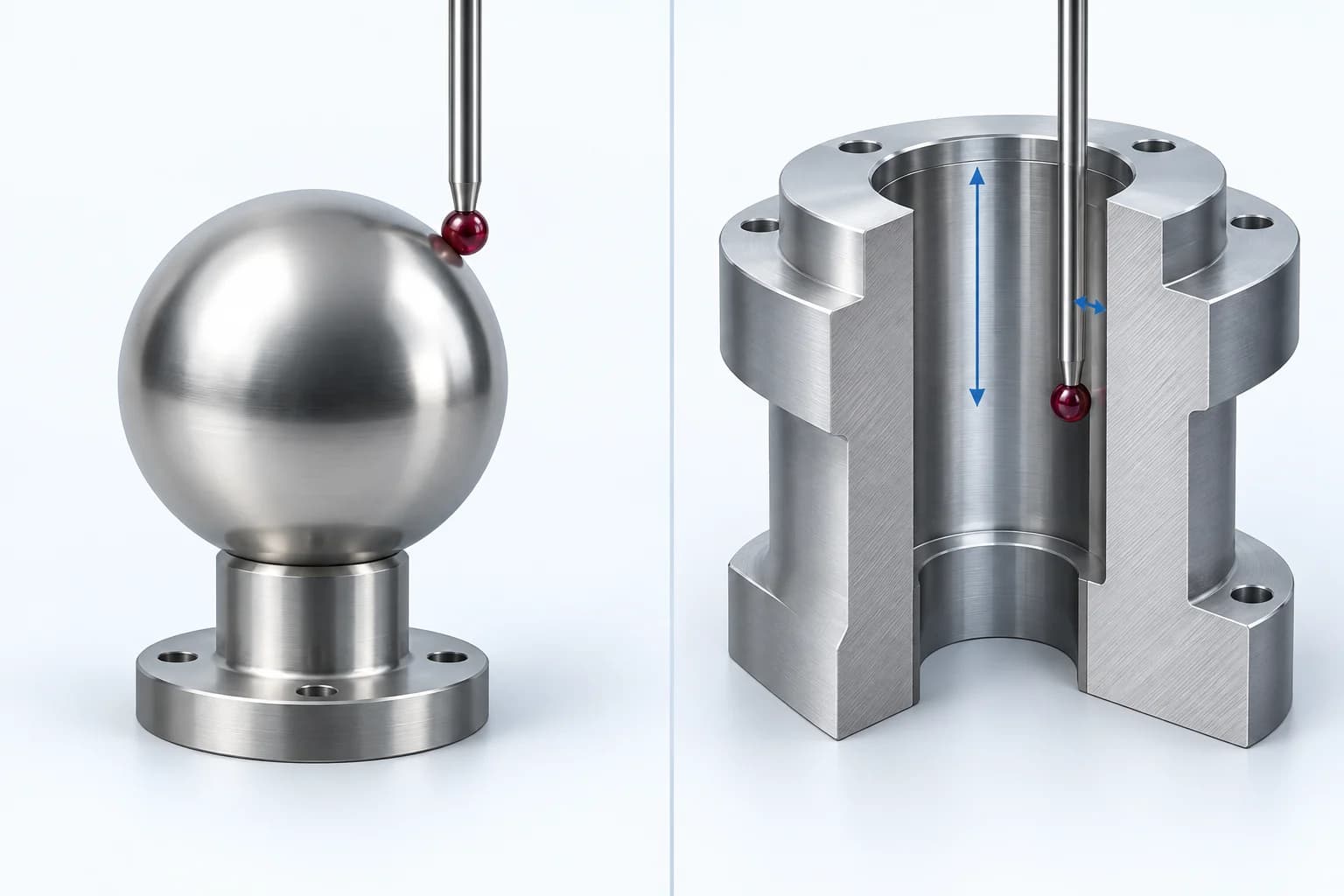
Use the appropriate sphere routine for the working tip and orientation.
Review working depth, stem clearance and approach and retract paths.
Concept illustration · Access around an exposed sphere differs from access inside a bore. Arrows indicate reach and clearance, not dimensions or an approved motion program.
Before the routine, check that the sphere and tip are clean, the assembly is secure, and the sphere value in the software matches the artifact. Retain the qualification report and review it against the procedure's limits. NPL also describes a known length artifact or setting ring as a practical check on qualification.
Then measure the representative part with the agreed strategy. Successful motion around an exposed sphere does not resolve access inside a bore. Review the bore clearance, approach and retract paths, and any required tip or orientation changes.
- Record the stylus ball size, working length and orientations.
- Identify the reference sphere and its calibration information.
- Confirm the sphere routine's purpose, settings and pass criteria.
- Request the qualification report and a suitable independent artifact check.
- Agree a representative-part demonstration and system acceptance report.